What Makes a Great Free Link-Building Tool?
Not all free link-building tools are created equal. Some give you real opportunities. Some help you spot authority gaps. Others save you hours of manual work. And then there are tools that look good but barely move the needle.
So before diving into the full list of 50+ tools, let’s get clear on what actually matters in 2026.
Here are the criteria every useful link-building tool must meet — no guesswork, no outdated advice.
1. Relevance
The tool must help you find websites that actually fit your niche.
Relevance → stronger authority → better rankings.
A good tool should help you answer:
“Is this site a good match for my content and industry?”
2. Data Accuracy
In SEO, bad data = bad decisions.
The tool should provide trustworthy insights like:
- Domain Authority / Domain Rating
- Organic traffic trends
- Spam indicators
- Topic alignment
If the data is inconsistent or inflated, skip the tool.
3. Speed
A great link-building tool should reduce your workload, not add to it.
Fast discovery, fast analysis, fast decisions.
In 2026, time is a ranking factor — the faster you act, the faster you grow.
4. Prospect Discovery
Link building dies without new opportunities.
The tool should help you uncover:
- New websites
- Fresh content
- Trending topics
- Linkable assets
- Competitor backlink sources
More discovery = more link opportunities.
5. Outreach Simplification
Most people quit link building because outreach is painful.
A good tool should simplify the process:
- Contact details
- Email templates
- Direct communication
- Faster replies
- Lower ghosting rate
Tools that make outreach easier automatically improve your success rate.
6. Authority Checks
Before you pursue any link, you should know:
- Is the website trustworthy?
- Does it have real traffic?
- Is it active?
- How strong is its backlink profile?
- Will the link actually help rankings?
Authority-checking features protect you from wasting time on weak sites or PBNs.
7. Competitor Insights
Sometimes the easiest backlinks come from your competitors’ backlink gaps.
Great tools show you:
- Who’s linking to your competitors
- Which links you’re missing
- Which sources are strong
- Where you can get the same or better links
Competitor analysis turns link building from “trial and error” into a predictable process.
Why These Criteria Matter?
In 2026, link building isn’t about volume — it’s about precision.
You don’t need hundreds of tools.
You only need the right ones.
Now that the criteria are clear, let’s move into the complete list of 50+ free link-building tools.
50+ Free Link Building Tools to Use in 2026 (Full List Updated)
Below is the most complete, up-to-date list of free link-building tools you can use today—covering prospecting, outreach, broken links, PR, competitor research, authority checks, and more.
We start with the tool that solves the real problem SEOs face in 2026: finding niche-relevant website owners who reply, instead of ghosting you.
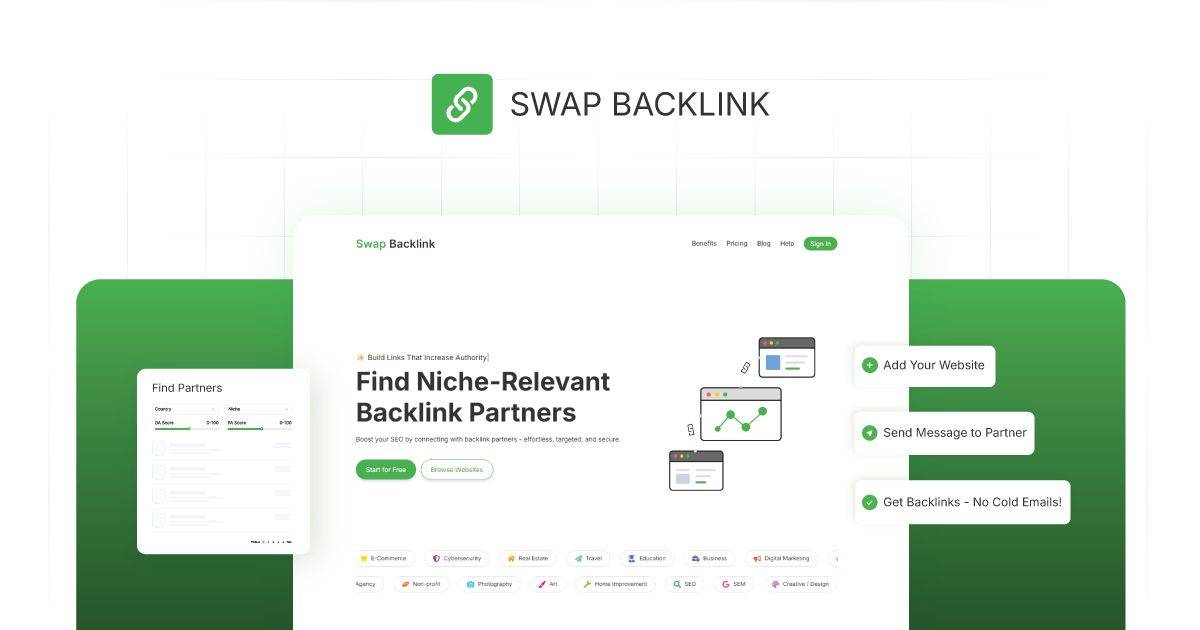
1. Swap Backlink
This one is the Best Overall Free Link Building Tool.
Description:
Swap Backlink helps you discover real, niche-relevant website owners who are open to backlink collaboration. No cold emails, no scraping, no guesswork.
Why It’s Useful:
- Find websites by niche, language, and metrics
- Check real profiles, traffic indicators, and credibility
- Message website owners directly inside the platform
- Community-driven link building (not PBNs, not spam)
- Helps SEOs, content creators, and agencies save hours every week
If you want to understand the strategies behind modern link building, Swap Backlink also publishes guides like:
How to Get Backlinks
Prospecting Tools (Discover Link Opportunities)
2. Ahrefs Free Backlink Checker
https://ahrefs.com/backlink-checker
Check top backlinks of any website for free.
Why Useful: Perfect for competitor analysis and finding high-authority sources.
3. Ahrefs Webmaster Tools (AWT)
https://ahrefs.com/webmaster-tools
Free access to site audits and backlink insights.
Why Useful: See which backlinks you already have—and what you’re missing.
4. Google Search Operators
https://support.google.com/websearch/answer/2466433
Advanced commands to find backlink opportunities.
Why Useful: Discover niche pages, guest posts, resource pages, etc.
5. Google Search Console (GSC)
https://search.google.com/search-console
Monitor links pointing to your site.
Why Useful: Identifies top-performing linked pages.
6. Google Alerts
https://www.google.com/alerts
Track mentions of keywords and brand names.
Why Useful: Quick link reclamation & PR outreach.
7. Exploding Topics Free
https://explodingtopics.com
Find trending topics gaining attention.
Why Useful: Build linkable assets before competitors.
8. AnswerThePublic (Free Tier)
https://answerthepublic.com
Shows common questions people ask about a topic.
Why Useful: Create link-worthy content around search demand.
9. AlsoAsked
https://alsoasked.com
Visual map of “People Also Ask” questions.
Why Useful: Helps create content clusters that attract natural links.
10. Google Trends
https://trends.google.com
Analyze search trend spikes.
Why Useful: Identify link-worthy topics early.
Competitor Research Tools
11. SEMrush Free Backlink Analytics
https://www.semrush.com/analytics/backlinks/
Basic access to competitor link profiles.
Why Useful: Find link gaps quickly.
12. SimilarWeb Free
https://www.similarweb.com
Traffic sources & top referring sites.
Why Useful: Spot authoritative domains linking to industry competitors.
13. Ubersuggest Free Tools
https://neilpatel.com/ubersuggest/
Keyword + competitor analysis.
Why Useful: Identify link opportunities via top pages.
14. Moz Link Explorer (Free Tier)
https://moz.com/link-explorer
Check domain authority & backlinks.
Why Useful: Verify quality of potential link sources.
15. Mangools LinkMiner (Freemium)
https://mangools.com/linkminer
Backlink preview & competitor insights.
Why Useful: Helps analyze anchor text + link placement.
Broken Link Building Tools
16. Check My Links (Chrome Extension)
https://chrome.google.com/webstore/detail/check-my-links
Find broken links on any webpage.
Why Useful: Perfect for broken-link outreach.
17. Broken Link Checker (Online Tool)
https://www.brokenlinkcheck.com
Scan sites for broken links.
Why Useful: Quick prospecting for link recovery.
18. Wayback Machine
https://archive.org/web/
Find old versions of broken pages.
Why Useful: Recreate assets & suggest link replacement.
19. Dead Link Checker
https://www.deadlinkchecker.com
Bulk broken link scanner.
Why Useful: Identify outdated resource pages.
Outreach Tools (Free & Freemium)
20. Hunter.io Free Plan
https://hunter.io
Find email addresses.
Why Useful: Faster, cleaner outreach.
21. Snov.io Free Credits
https://snov.io
Prospecting & outreach automation.
Why Useful: Helps manage relationship-building.
22. Mailmeteor Free Email Finder
https://mailmeteor.com/email-finder
Free alternative to Hunter.
Why Useful: Helps find contact details at scale.
23. Boostoor Email Finder (Free Tier)
https://booston.com
Simple email discovery.
Why Useful: Good for early-stage outreach.
24. GMass Free Plan
https://www.gmass.co
Send outreach emails from Gmail.
Why Useful: Perfect for beginners.
Digital PR & HARO Alternatives
25. HARO (Help a Reporter Out)
https://www.helpareporter.com
Connect with journalists.
Why Useful: Earn high-authority links.
26. Help a B2B Writer
https://www.helpab2bwriter.com
Writers looking for expert quotes.
Why Useful: Easy link placements.
27. Qwoted (Free Tier)
https://www.qwoted.com
PR platform for expert mentions.
Why Useful: High-credibility backlinks.
28. SourceBottle
https://www.sourcebottle.com
Journalist requests + expert calls.
Why Useful: Strong for niche industries.
29. Terkel
https://terkel.io
Submit short answers to earn links.
Why Useful: Great for beginners.
Authority & Spam Checking Tools
30. SpamZilla (Free Checks)
https://www.spamzilla.io
Backlink spam analysis.
Why Useful: Avoid low-quality domains.
31. Majestic Free Checker
https://majestic.com
Trust Flow + Citation Flow preview.
Why Useful: Quick authority check.
32. SEOquake
https://www.seoquake.com
SEO metrics inside SERPs.
Why Useful: Fast qualification of prospects.
33. OpenLinkProfiler
https://openlinkprofiler.org
Free backlink analysis.
Why Useful: Spot new prospects fast.
Content Research Tools (Find Linkable Topics)
34. BuzzSumo Free Version
https://buzzsumo.com
Shows top-shared content.
Why Useful: Helps you create link magnets.
35. Feedly (Free)
https://feedly.com
Track trending content sources.
Why Useful: Content ideas = more link assets.
36. Google News
https://news.google.com
Trending stories.
Why Useful: Use for digital PR angles.
37. Reddit (Topic Subreddits)
https://reddit.com
Real discussions.
Why Useful: Understand topics that attract backlinks.
38. Quora
https://www.quora.com
Find topic demand.
Why Useful: Great for linkable asset ideas.
Chrome Extensions for Link Building
39. MozBar
https://moz.com/products/pro/seo-toolbar
DA/PA displayed directly in search results.
Why Useful: Instantly qualifies sites.
40. SEO Minion
https://seominion.com
On-page analysis, broken links & SERP previews.
Why Useful: Helps diagnose link opportunities fast.
41. LinkGrabber
https://chrome.google.com/webstore/detail/link-grabber
Extracts all URLs from a page.
Why Useful: Quick prospecting.
42. Hunter Chrome Extension
https://hunter.io/chrome
Find all emails on a webpage.
Why Useful: Accelerates outreach.
AI Tools for Link Building
43. ChatGPT Free
https://chat.openai.com
Brainstorm angles, outreach templates, PR ideas.
Why Useful: Saves time on ideation.
44. Perplexity AI
https://perplexity.ai
Fast research with citations.
Why Useful: Spot mention-worthy topics.
45. HARPA AI
https://harpa.ai
AI for scraping & monitoring pages.
Why Useful: Detects new link opportunities automatically.
Link Tracking & Monitoring Tools
46. Ahrefs Webmaster Tools (AWT)
https://ahrefs.com/webmaster-tools
Track incoming links.
Why Useful: Monitor new backlinks.
47. Google Analytics 4
https://analytics.google.com
Traffic source breakdowns.
Why Useful: Detect referral link quality.
48. Linkody Free Checker
https://linkody.com/free-tools/link-checker
Check if a link is active.
Why Useful: Verify live links after outreach.
Website & Technical Tools
49. Screaming Frog SEO Spider (Free Version)
https://www.screamingfrog.co.uk/seo-spider/
Crawl 500 URLs for free.
Why Useful: Find broken links, redirects, orphan pages.
50. Windows “Find in Page” Tools
Built-in browser search.
Why Useful: Discover “links”, “resources”, “partners” on pages quickly.
51. SmallSEOTools Backlink Checker
https://smallseotools.com/backlink-checker/
Preview links to any URL.
Why Useful: Easy competitor scanning.
52. Niche Scraper Free Tools
https://nichescraper.com
Discover trending niches.
Why Useful: Build niche linkable content.
Social & Community Tools
53. LinkedIn Search Filters
https://linkedin.com
Find marketers, editors, and website owners.
Why Useful: Relationship-based link building.
54. Facebook Groups (SEO, Blogger, Outreach)
https://facebook.com
Thousands of collaboration posts daily.
Why Useful: Community-driven link opportunities.
55. IndieHackers
https://indiehackers.com
Startup content & founder communities.
Why Useful: Great for digital PR and mentions.
Best Categories for Free Link Building Tools
With 50+ free tools available, it’s easy to get overwhelmed. The smartest way to use them is to understand what role each tool plays in your link-building system. Not every tool does the same job — and not every tool should.
Below are the 9 core categories every SEO, website owner, and marketing agency should know.
Each category aligns with a key part of the modern link-building workflow.
1. Link Prospecting Tools
These tools help you find websites worth getting links from.
Prospecting tools are your starting point. They uncover niches, trending content, relevant blogs, resource pages, and potential partners — the places where your future backlinks will come from.
Use these tools to:
- Discover relevant websites
- Spot trending topics
- Identify pages that accept contributions
- Build your initial target list
Examples:
Ahrefs Free Tools, Google Operators, SimilarWeb Free, AnswerThePublic, Exploding Topics.
2. Broken Link Building Tools
These tools help you find broken links you can replace with your own content.
Broken link building works because website owners want to fix broken pages.
These tools make it easy to:
- Scan pages for 404s
- Detect broken external links
- Rebuild outdated resources
- Suggest a better replacement link (yours)
Examples:
Check My Links, Dead Link Checker, Wayback Machine, Screaming Frog Free.
3. Email Outreach Tools
These tools help you find emails and send outreach messages efficiently.
Outreach still works — when you target the right sites and write real, personalized messages.
Email tools help you:
- Find real contact details
- Validate emails
- Send outreach at scale
- Track replies
- Reduce spammy outreach errors
Examples:
Hunter.io Free, Snov.io Free, Mailmeteor, GMass.
4. Digital PR & HARO Alternatives
These tools help you earn high-authority backlinks through media quotes.
PR backlinks are hard to get manually. These tools connect you with journalists, writers, and editors who actively need expert contributions.
Use them to:
- Get featured in publications
- Earn high-DR backlinks
- Build brand authority
- Get quoted by journalists
Examples:
HARO, Qwoted, Terkel, Help a B2B Writer.
5. Competitor Analysis Tools
Competitor backlinks = your best link-building shortcuts.
These tools show you:
- Who links to your competitors
- Which links are easy to replicate
- What authority gaps you’re missing
- How competitors outperform you
This transforms link building from guesswork → predictable system.
Examples:
Ahrefs Webmaster Tools, SEMrush Free, Moz Link Explorer, Ubersuggest Free.
6. Content Research Tools
These tools help you create linkable content that earns backlinks naturally.
If your content isn’t link-worthy, no tool can save you.
Content discovery tools reveal:
- Topics people care about
- Questions your audience asks
- Trending ideas
- High-performing content formats
Perfect for creating link magnets like:
- guides
- stats pages
- checklists
- templates
- research pieces
Examples:
BuzzSumo Free, Google Trends, AlsoAsked, Reddit, Quora.
7. Authority & Spam Checking Tools
These tools help you avoid weak or spammy websites.
Not every backlink is a good backlink.
These tools make it easy to check:
- Domain Authority (DA)
- Domain Rating (DR)
- Spam score
- Real traffic
- Trust signals
They protect you from wasting time on low-value websites.
Examples:
Majestic Free Checker, SEOquake, SpamZilla, MozBar.
8. Relationship-Building Tools
Not all backlinks come from outreach. Many come from relationships.
These tools help you find:
- Editors
- Founders
- Bloggers
- Content marketers
- Website owners
And connect with them in communities where collaboration feels natural — not forced.
Examples:
LinkedIn Search, Facebook Groups, IndieHackers.
9. AI Tools for Link Building
AI is now a core part of SEO workflows.
These tools help you:
- Brainstorm outreach angles
- Rewrite templates
- Analyze SERPs
- Spot opportunities
- Summarize competitor content
- Generate PR responses
AI doesn’t replace your strategy — it accelerates it.
Examples:
ChatGPT Free, Perplexity AI, HARPA AI.
Each category plays a different role.
The smartest SEOs don’t try to use all tools at once — they build a simple system:
- tools for discovery
- tools for qualification
- tools for outreach
- tools for relationship building
- tools for analysis
- tools for long-term growth
Now that you understand the categories, let’s move to the practical workflow that ties everything together.
How to Combine These Tools Into a Real Link-Building System
A big list of tools is helpful.
But a real system is what actually gets you backlinks.
Here’s the exact workflow professionals use in 2026 — whether you’re a website owner, an SEO specialist, or a marketing agency managing multiple clients.
This framework turns link building from “random effort” into a repeatable, predictable system.
Let’s break it down step by step.
Step 1 — Find Prospects (Discover Link Opportunities)
Use prospecting tools to build your initial list.
Your goal: Find websites that match your niche and publish content similar to yours.
Tools to use:
- Ahrefs Free Backlink Checker
- Google Search Operators
- SimilarWeb Free
- AnswerThePublic
- AlsoAsked
- BuzzSumo Free
- Exploding Topics
What to look for:
- Websites covering your topic
- Resource pages
- Blogs with active publishing
- Brands linking to similar content
- Trending topics you can build content for
This gives you a clean list of relevant targets.
Step 2 — Check Metrics (Authority & Trust)
Not every website is worth your time.
Here’s where you qualify your prospects using authority and spam check tools.
Tools to use:
- MozBar
- Majestic Free Checker
- SEOquake
- SimilarWeb Free
- OpenLinkProfiler
Check for:
- Actual traffic
- Trust Flow / DR / DA
- Freshness of content
- No spam signals
- No PBN patterns
Your goal here: filter out bad sites, keep only real, active, trustworthy domains.
Step 3 — Validate Relevance (Topic Fit)
Relevance is the strongest ranking signal in link building.
Before you outreach, you must confirm:
“Does this site actually cover my topic?”
Tools to use:
- Google search
- Site:domain.com keyword searches
- Pages ranking in SimilarWeb
- SERP previews
Keep only the sites that match your:
- Industry
- Keyword cluster
- Content angle
- Target audience
This creates your tight, hyper-relevant list.
Step 4 — Craft Your Message (Simple, Human, Effective)
Outreach often fails because the message is bad — too long, too template-like, too robotic.
Use AI tools + outreach tools to create clean, personalized messages.
Tools to use:
- ChatGPT Free (rewrite messages)
- Perplexity AI (research topics)
- Hunter.io Free
- Snov.io Free
- Mailmeteor
- GMass
Your outreach message should be:
- Short
- Personal
- Relevant
- Helpful
- Human
- Zero fluff
This increases your reply rate significantly.
Step 5 — Build the Relationship (Not Just a Link)
In 2026, people don’t respond to “Hey, can I get a backlink?”
But they respond to:
- value
- relevance
- collaboration
- win-win proposals
- real conversations
Tools to use:
- LinkedIn Search
- Facebook Groups
- IndieHackers
- Email sequences
Be real. Be helpful. Don’t beg for links.
Step 6 — Track Results (Measure What Matters)
Tracking helps you know what works and what doesn’t.
Tools to use:
- Google Analytics 4
- Google Search Console
- Linkody Free Checker
- Ahrefs AWT
Track:
- Referrals
- New backlinks
- Pages earning links
- Anchor text
- Lost links
- Keyword movement
This gives you the data to refine your system.
Step 7 — Repeat (Scale What Works)
This is where real growth happens.
Once the system works, scale it:
- Create more linkable assets
- Build more niche relationships
- Explore more categories
- Go deeper into your content clusters
- Use AI to speed up research and outreach
And most importantly…
⭐ Where Swap Backlink Fits In (This Saves You 70% of the Work)
Swap Backlink essentially merges Steps 1–5 into one platform.
Instead of:
- Finding prospects manually
- Checking metrics
- Validating relevance
- Searching for emails
- Writing outreach templates
- Waiting to get ghosted
You:
- Discover niche-matched websites instantly
- See metrics inside one dashboard
- Message real website owners directly
- Build relationships inside the platform
- Avoid cold emails completely
This eliminates the hardest, slowest parts of link building — letting you focus on creating good content and scaling your authority.
Link building in 2026 isn’t about shortcuts. It’s not about spamming inboxes or chasing random blogs.
Google has become too smart, competition has grown too intense, and audiences expect real value.
The game has shifted.
And the free tools in this guide can take you much further than you expect — if you use them strategically.